Free WordPress Maintenance Checklist (Excel) | NovaDizajn
NovaDizajnRequest a quote

The WordPress maintenance checklist we run on every site we look after

41 checks in four tabs: ownership and access, monthly care, what to test after every update, and the WooCommerce store. Each row says why it matters and the exact place to click.

It is an Excel file and opens in Google Sheets too. Mark each row Done, Not done, Not sure or N/A, and the sheet gives you a score and the tab to fix first.

Free. Leave your email and the download opens right away.

Now and then we send a short email about WordPress care. Reply "stop" and we take you off the list. No call.
NovaDizajn, since 2015 · 300+ projects

Who it is for

So you know before you download it.
01

You look after your own site

Run it once a month and catch the quiet faults before your customers do.
02

Someone else built it

And you are not sure what state it is in. Start with tab 1: who owns the domain, the hosting and the logins.
03

Probably not for you if

An agency already maintains the site and sends you a monthly report you actually read.

When we took over the Nomad Accessorize store, we found forty plugins, some on pirated licenses the owner did not know about. Today there are twenty, and the store runs without patching.

Rather not run the list yourself? Website Care is €990 ($1,190) a year, Store Care €1,200 ($1,390).

See maintenance plans

What is inside

Four tabs, quick wins at the top of each. Every row has the task, why it matters, where to click and how often.
01

Ownership & access

Domain, hosting, admin accounts, licenses and backups: who owns what and who can get in.
10 checks
02

Monthly care

The form test, backups, updates, speed, tracking and Search Console, once a month.
12 checks
03

After every update

What to test right after WordPress, the theme or a plugin updates, before a customer finds it.
8 checks
04

WooCommerce store

A test order, order emails, payments, shipping and stock. Mark the tab N/A if you do not sell online.
11 checks
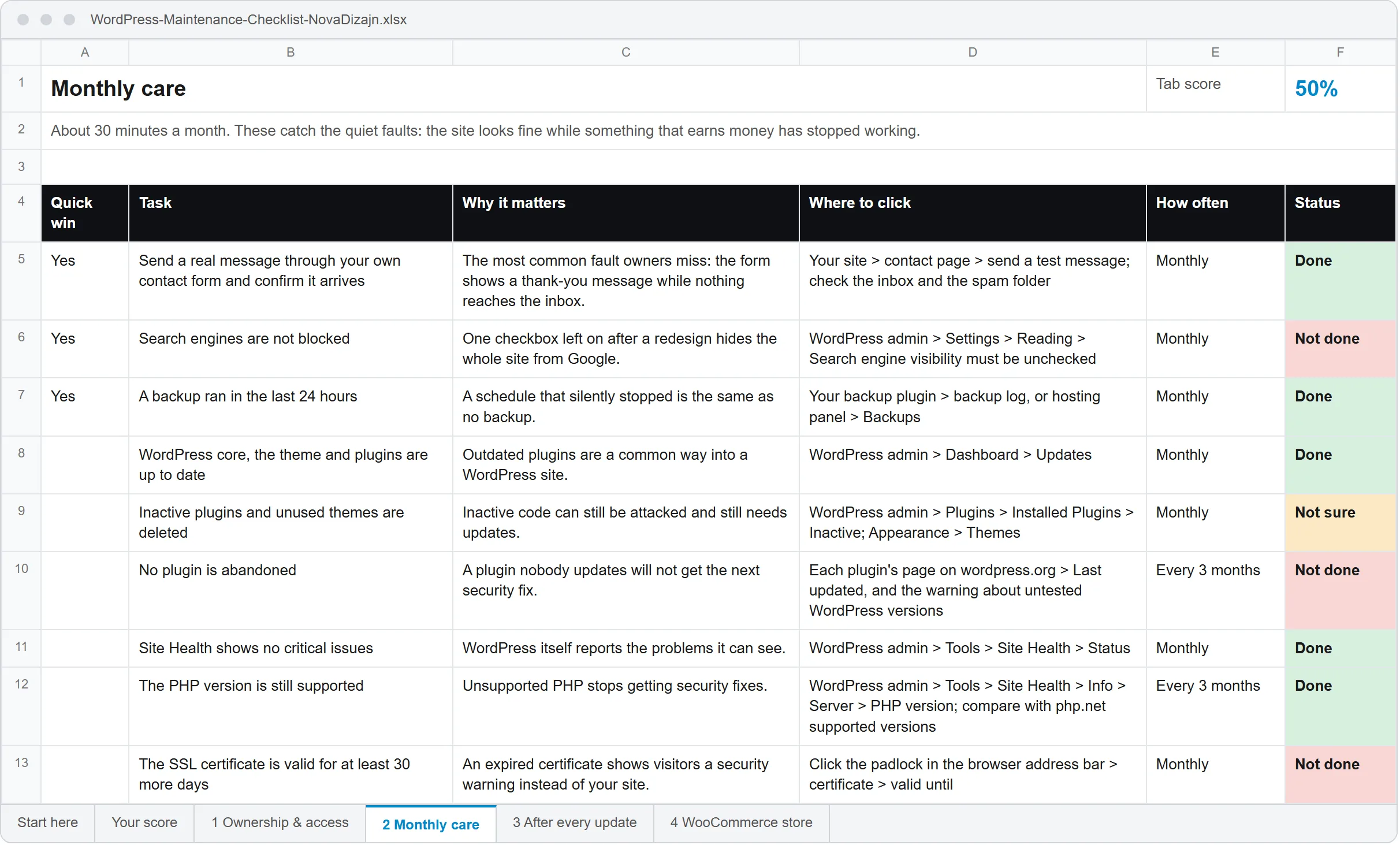
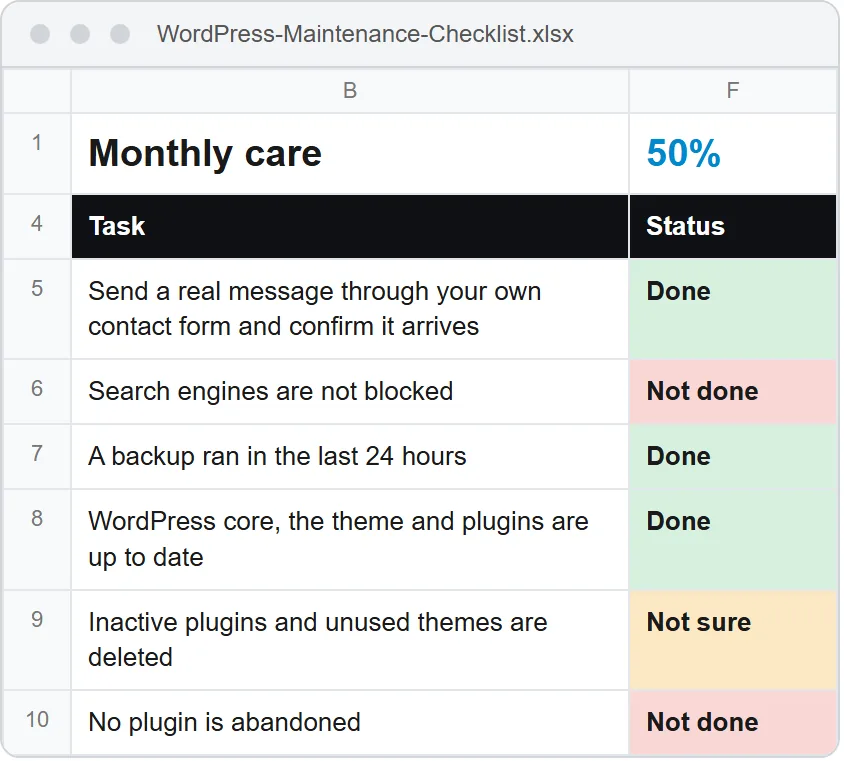
Monthly care tab in the checklist: task, why it matters, where to click, how often and statusMonthly care tab: task and status
This is the Monthly care tab. You pick the status from a menu, and the score at the top right updates itself.
Get the checklist

Three steps, in order.

You do not have to do it all at once. The quick wins take a few minutes each, so you see progress on day one.
01

Quick wins first

Rows marked Yes in the Quick win column sit at the top of each tab and take a few minutes each.
02

Then tab by tab

In the Status column, pick Done, Not done, Not sure or N/A. The same row says where to click.
03

Then your score

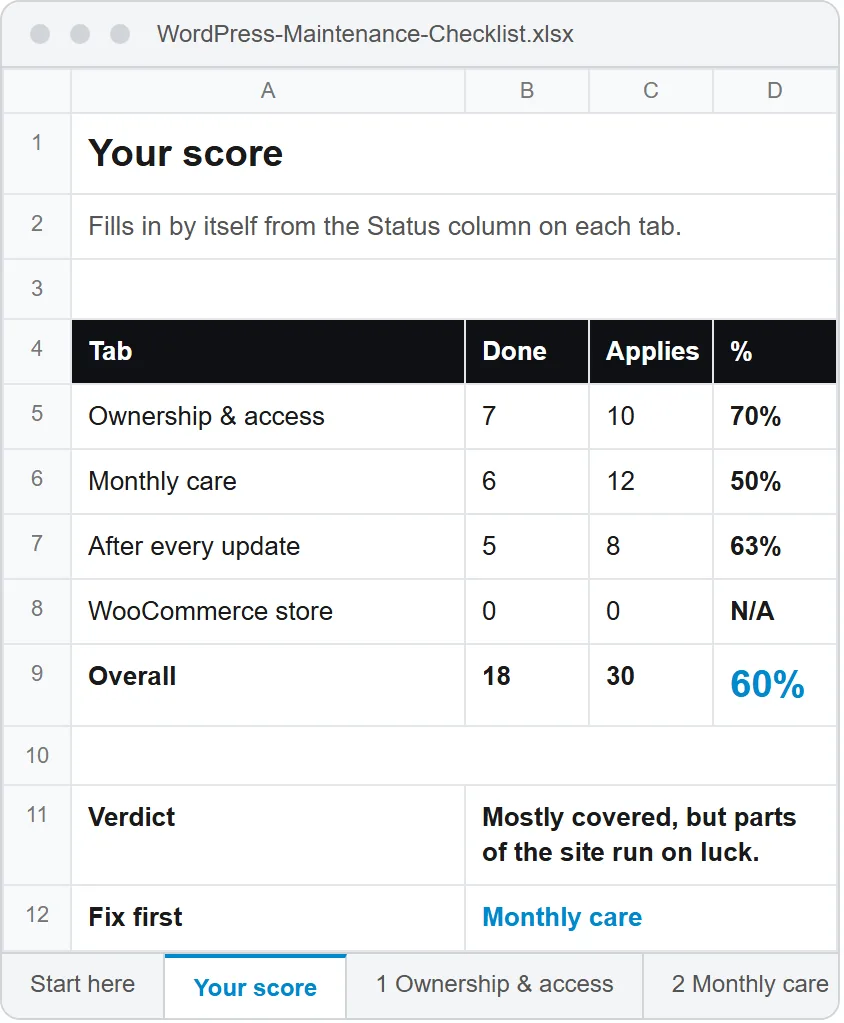
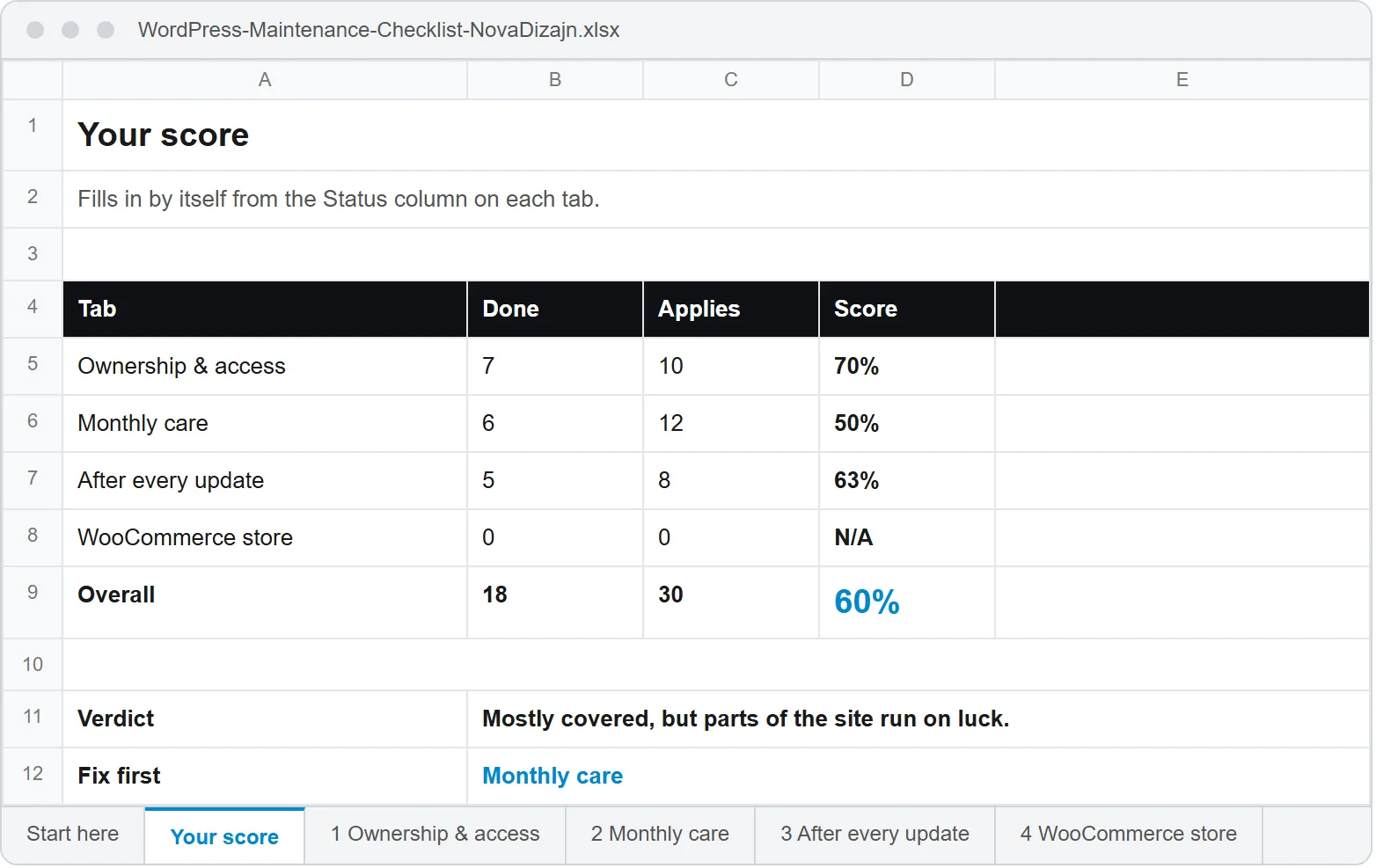
Open Your score: a percentage per tab, a verdict and the tab to fix first.

Stuck on a row? Mark it Not sure and move on. It counts as not done, so it shows up in your score.

Get the checklist

It does not say “check your settings”. It says where to click.

Every row has the same six columns. The examples are from the Monthly care tab.
01

Quick win

Yes means the check takes a few minutes. Those rows sit at the top of the tab.
Example: Yes
02

Task

One thing to check, in one sentence.
Example: A backup ran in the last 24 hours
03

Why it matters

What you lose if you skip it, without jargon.
Example: A schedule that silently stopped is the same as no backup.
04

Where to click

The exact place: which menu, which screen, what to look for.
Example: Your backup plugin > backup log, or hosting panel > Backups
05

How often

So you know when to check it again.
Example: Monthly
06

Status

Pick from a menu: Done, Not done, Not sure or N/A. The sheet does the maths.
N/A drops out of the score

At the end you get a number, not a feeling.

The sheet adds up every row that applies to your site and tells you where you stand.
Under 60%

At risk

A quiet fault could be costing you inquiries or orders right now.
60 to 89%

Mostly covered

But parts of the site run on luck.
90% and up

In good shape

Keep the monthly rhythm.

Next to the verdict, the sheet names the tab to fix first: the one with the lowest score.
Get the checklist
Your score tab: score per tab, 60% overall, verdict and the tab to fix firstYour score tab: score per tab, 60% overall, verdict and the tab to fix first
An example score. The numbers come from the Status column on their own.

What you get. Free.

Leave your email and the download opens right away.
01

41 checks in 4 tabs

Ownership and access, monthly care, after every update, and the WooCommerce store.
Excel file
02

The exact place to click

Not “go to settings”, but which menu and which screen.
Where to click column
03

Your score

A percentage per tab, a verdict and the tab to fix first.
Works itself out
04

Works in Google Sheets too

Opens in Excel, and you can import it into Google Sheets.
The file stays with you

No. Tabs 1 to 3 are for any WordPress site. Tab 4 is for stores; if you do not sell online, mark it N/A and it drops out of the score.

An Excel file (.xlsx). It opens in Excel, and you can import it into Google Sheets: File > Import.

The quick wins take a few minutes each. Monthly care is about 30 minutes a month.

No. The checklist is for doing it yourself. On Website Care and Store Care we run this list on your site for you.

Mark it Not sure and move on. It counts as not done, so it shows up in your score. Or email us and we will tell you how.

Yes. Leave your email and the download opens right away. Now and then we send a short email about WordPress care. Reply “stop” and we take you off the list.

Get the checklist and catch the quiet faults before your customers do.

Free. Leave your email and the download opens right away.

Now and then we send a short email about WordPress care. Reply "stop" and we take you off the list. No call.
NovaDizajn, since 2015 · 300+ projects