
Moving from PrestaShop to WooCommerce means rebuilding your store on WordPress and carrying over what already works: products, categories, customers, orders and the addresses Google knows. The move itself is usually the easy part. What decides whether it pays off is what you check before, and what you fix while you are at it.
Most guides on this topic are written by companies that sell migration tools, so they walk you through the clicks. This one is for the store owner who has to decide whether to move at all, what to ask, and what can go wrong. We use one real store we moved, ATP Sport, as the example.
In short
- Move when the platform holds the store back: it is not responsive, every change needs a developer, or the catalog has no order. Do not move just because WooCommerce is popular.
- The data you must carry over: products with variants and photos, categories, customers, orders and content pages. Ask in advance how each one is handled.
- The part that protects your traffic: every old product and category address must redirect to its new address. Skip that and you start from zero in search.
- Most of the time goes on cleaning up the product data, not on the design. For a store with a clearly defined range we plan six to twelve weeks.
- With us, a WooCommerce store starts from €2,790, paid once, with the first year of maintenance included. See pricing.
When moving from PrestaShop to WooCommerce makes sense
A platform change is expensive in time, so it needs a reason you can name. These are the ones we see most often:
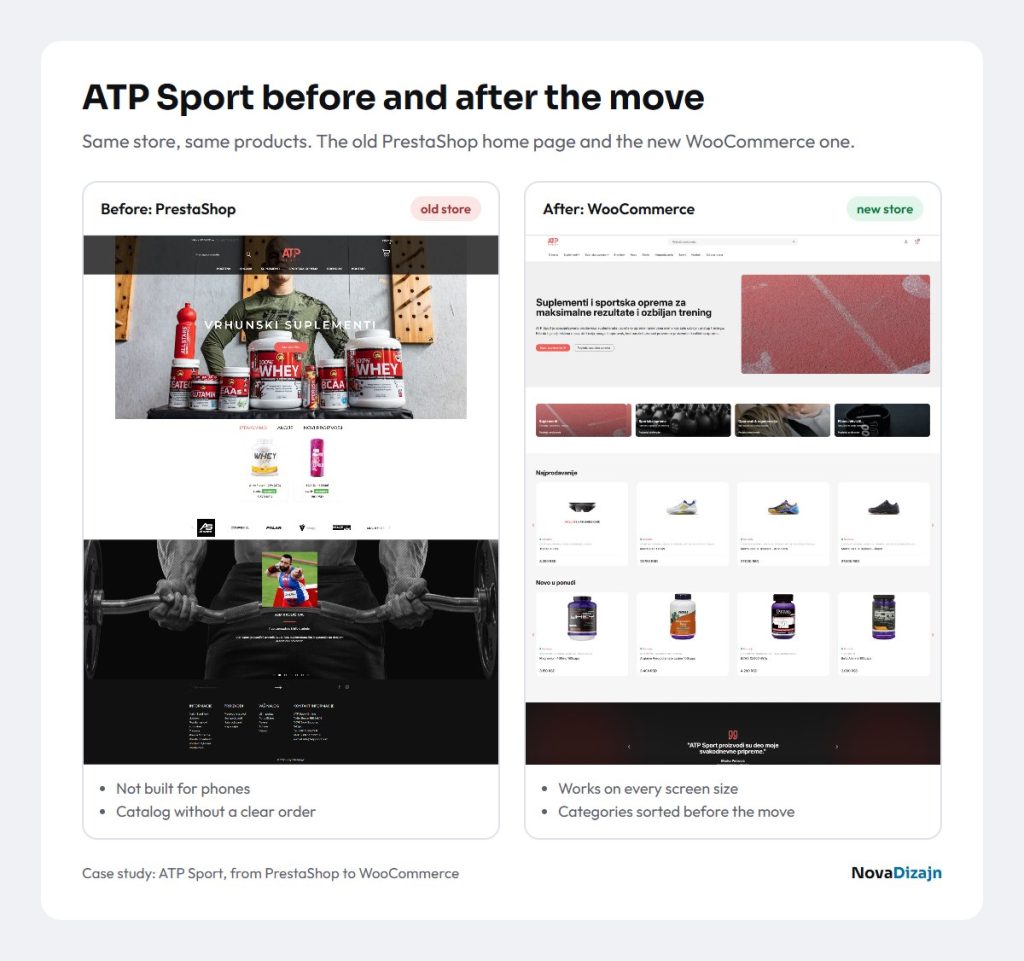
- The store does not work well on a phone. Most shopping starts on a phone. The old ATP Sport store on PrestaShop was not responsive, which meant part of the customers left before they even reached a product.
- The catalog has no structure. If products follow the supplier’s spreadsheet instead of how the buyer thinks, a customer who knows exactly what they want still struggles to find it. A move is a good moment to rebuild the categories, because you touch every product anyway.
- Every small change needs a developer. WooCommerce runs on WordPress, so editing a page, a banner or a product description is something you or your team can do.
- You want the store and the content site in one place. Blog, guides and product pages on the same WordPress install share one admin and one set of links.
When it does not make sense: if your PrestaShop store is responsive, sells well and nobody struggles to edit it, a move only presents the same offer on a different system. And if the real problem is that competitors sell the same product cheaper with faster delivery, a new platform will not solve it. Sort out the offer first.
What has to be carried over
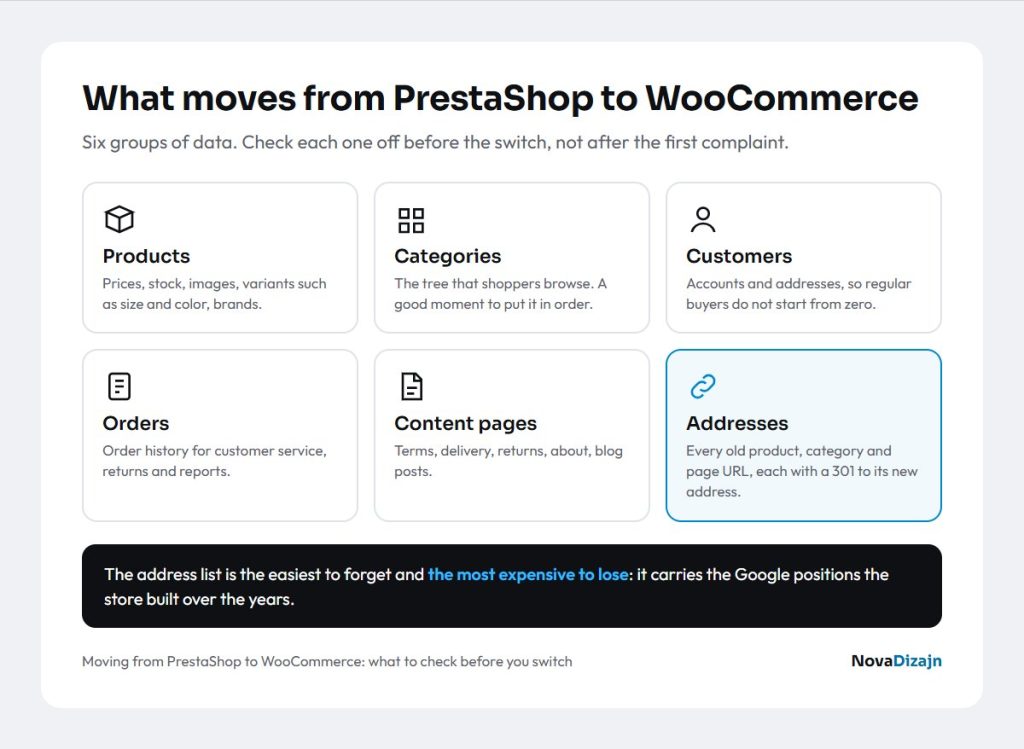
Before anyone starts, write down what exists in the old store and agree what happens to each item. This is the list we go through:
- Products, with variants (size, flavour, colour), prices, stock, photos and descriptions.
- Categories and how products sit in them. Moving a messy structure 1:1 moves the mess too. On ATP Sport the categorization of the whole catalog was fixed first, so every product has its place and takes a couple of clicks to reach.
- Customers and orders. Ask how customer accounts and order history are moved, and whether customers will need to set a new password at first login. It is better to know this before launch than to hear it from customers.
- Content pages: terms, delivery, returns, about, blog posts.
- Addresses: the list of every old product, category and page URL. This one is easy to forget and the most expensive to lose.
How to keep your Google positions
PrestaShop and WooCommerce build addresses differently, so after a move almost every product and category gets a new URL. Google still has the old ones. If they lead to an error page, the positions you built over the years are gone.
The fix is a redirect map: every old address points to its new address with a permanent (301) redirect. Not to the home page, but to the exact matching product or category. In practice that means:
- Export the full list of old URLs before the move (from the sitemap and from Google Search Console).
- Match each one to its new address after the import.
- Set up the redirects and test them on the new store before the domain switches over.
- After launch, watch Search Console for addresses that return errors and fix them in the first weeks.
When we move a store, products, customers and orders are transferred and the old links are redirected, so you do not lose your positions in search. On ATP Sport everything was carried over: products with all their variants, brands, customers and orders. Search Console shows steady growth in search traffic.
Plugin, tool or agency?
There are three ways to do the move, and each fits a different store.
- A migration plugin or a paid migration service copies the data from one database to the other. It works well when the catalog is tidy and you only need the data moved. It does not fix your categories, write product pages or design the store.
- Export and import through spreadsheets gives you the most control and the most work. Useful when the data needs heavy cleanup anyway.
- An agency that rebuilds the store makes sense when the move is also a redesign: new categories, product pages that sell, a shorter checkout, tracking from day one. That is the kind of job ATP Sport was.
Whichever way you choose, test the result on a copy of the new store before the switch: place a real order, check the emails, the payment and the courier settings.

What changes in the new store
A move is the cheapest moment to fix things that held the old store back, because you are rebuilding anyway. On our online store projects that means:
- Product pages with price, delivery and return terms right by the buy button.
- Checkout without a mandatory account and with few fields.
- WooCommerce without plugins that slow each other down.
- Tracking of product views, cart, checkout started and purchase, so from day one you can see where people are lost.
If you are also comparing hosted platforms, our Shopify vs WooCommerce comparison compares the two side by side. Moving from Shopify instead? Our Shopify to WooCommerce migration guide covers what moves and what breaks.
How long it takes and what moves the price
For a store with a clearly defined range, usually six to twelve weeks. Most of the time does not go on the build but on cleaning up the product data. A tidy catalog with data and photos makes it faster and cheaper.
What raises the amount: importing and cleaning up supplier data, product descriptions written from scratch, and integrations. What brings it down: a tidy catalog, fewer products, and a phased build by product group. A store starts from €2,790, paid once, with the first year of maintenance included. After that, maintenance for a store starts from €1,200 a year. The exact quote comes in writing, once we see the store.
Questions store owners ask
Will I lose my orders and customers?
No, if it is planned. Products, customers and orders are transferred to the new store. Ask in advance how customer logins are handled, so you can tell customers what to expect.
Will my Google rankings drop after the move?
They drop when old addresses lead nowhere. With a full redirect map from every old URL to its new one, the store keeps what it has built. Expect some movement in the first weeks while Google crawls the new addresses.
Can the old store keep selling during the move?
Yes. The new store is built and tested separately, and the old one keeps selling until the switch.
What if I have thousands of products?
Then the most important part of the job is the import and cleaning up the data, not the design. We import from a spreadsheet or from the supplier, with rules for categories and variants.
If your store has outgrown PrestaShop, send us the address and a few lines about the problem. We reply within 24 hours with what we would move, what we would fix and roughly what it costs.